
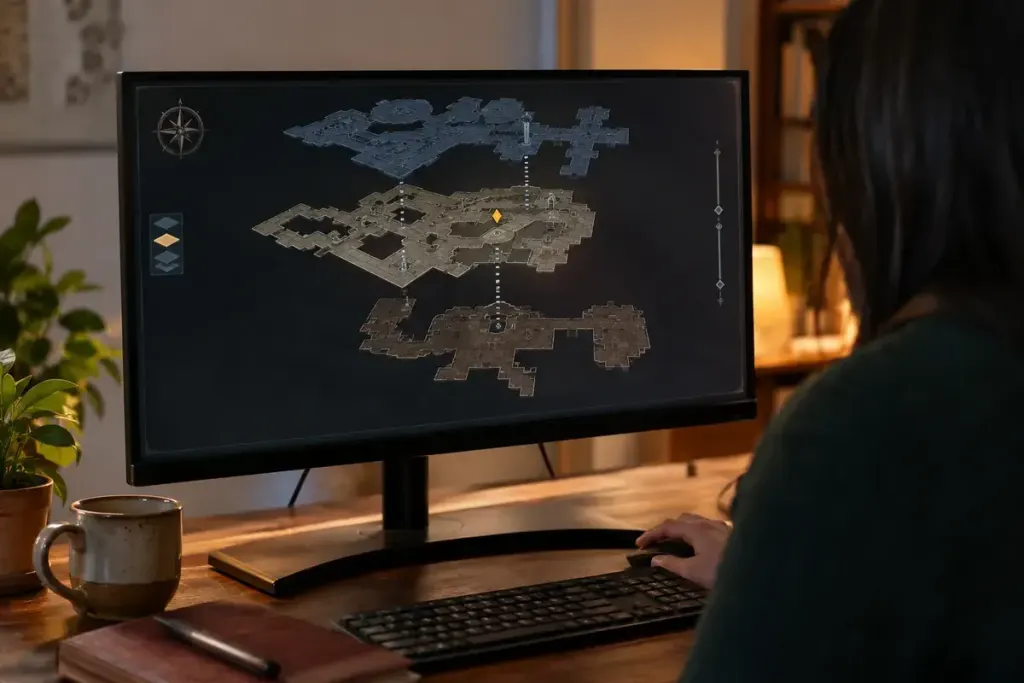
The objective marker says you are only a few steps away, but the room is empty. Walking in tighter circles may not help if the destination is above the ceiling or below the floor.
Games represent distance and elevation differently. Some markers include an up or down symbol; others show only a direction or straight-line distance. Treat the marker as a clue about position, not a guarantee of a direct walking route.
Read the building as a route
Look for stairs, lifts, ramps and connected outdoor entrances. Open the map and check whether it has floor selection or a separate interior view. A route may need to move away from the marker before it can reach the correct level.
Compare the objective description with nearby place names. “Under the tower” and “inside the tower” can lead to very different entrances. If the game provides a route trace, notice whether it ends at a doorway rather than the final object.
Test one explanation at a time
First check elevation. Then check whether the route requires a key, an earlier objective or a particular interaction. Changing several quests at once can make the markers harder to interpret.
Use landmarks to avoid repeating the same search: a stairwell, a balcony or a distinctive corridor junction. A brief note such as “upper gallery checked; basement entrance outside” is more useful than remembering only that you have been nearby.
If the marker still appears inconsistent, consult the game’s official help or a spoiler-controlled guide for that objective. Check the game version and whether the instructions refer to the same area. A route from an earlier update may no longer match.
Do not assume every obstacle is a bug, but do not keep searching indefinitely without new information either. Once you have checked level, access and objective state, a precise description makes a support report or guide search much more effective.